


FOX One: Live News, Sports, TV
4.21.21K Reviews
App Specs
- Version
- Varies with Device
- Updated On
- License
- Free
- Downloads
- 1,000,000+
- Developer
- Fox Digital Services, LLC
- Categories
- Entertainment
- Platform
- Android
Screenshots

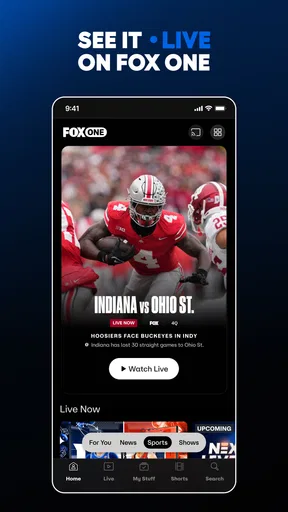
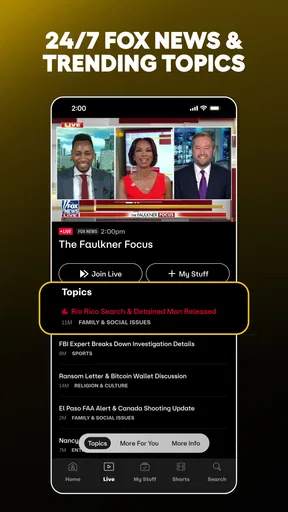
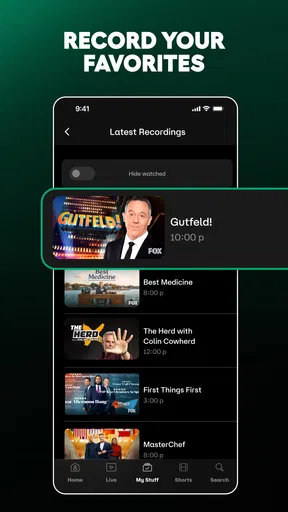
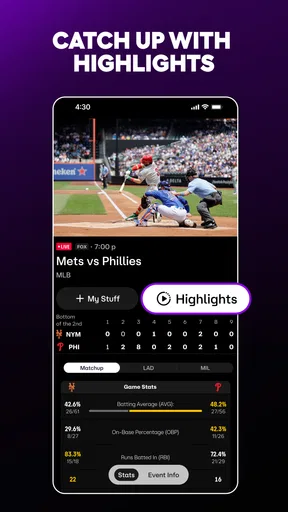
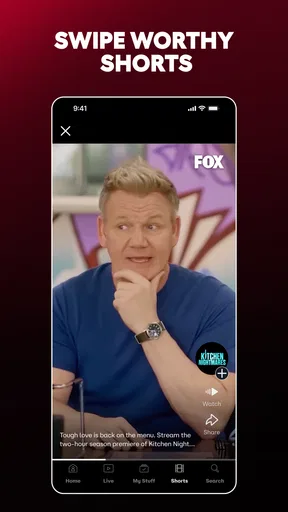
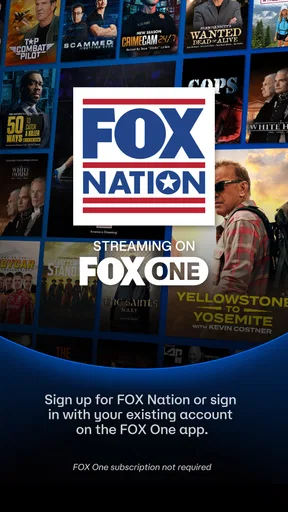

 Analysis by AppCompare
I tend to open a news or sports app with a specific question: what is happening right now, and can I move from a quick update to something worth watching without juggling several services? That is the practical promise of FOX One: Live News, Sports, TV. In my experience, it makes the most sense as a single place to check FOX content when news, a game, and a show all have a chance of competing for the same stretch of time.
First Impressions
Jumping into the app, the first thing that catches your eye is its sleek and intuitive design. The FOX One: Live News, Sports, TV app has a layout that doesn’t overwhelm you with information, but instead, it gently nudges you to explore more. The navigation is smooth, making it easy for anyone to find their way around, even if you're not the most tech-savvy.
News at Your Fingertips
The news section is where the app truly shines. You can dive into a variety of categories, from politics to entertainment, all curated by the FOX News team. The articles are updated in real-time, which is perfect for those who crave the latest headlines. What I appreciated most is the option to customize the news feed according to my interests. So, if you’re all about sports or tech, you can tailor the content to suit your preferences.
For a useful everyday routine, I’d treat the feed as a starting point rather than an endless scroll. A quick check in the morning can show what deserves attention, while a later visit can be reserved for a live broadcast or a longer read. That division helps keep a news app from turning every spare minute into another round of headline checking. If you want reporting from a range of publishers and editorial perspectives, though, a broader news aggregator is likely a better fit than an app centered on FOX programming.
Sports Coverage
Sports enthusiasts, rejoice! The app offers extensive coverage of various sports, including live scores and updates. Whether you're following the NFL, NBA, or MLB, the app ensures you're never behind on the action. I loved how I could set alerts for my favorite teams, so I never miss a match highlight or a crucial play.
A practical way to use those updates is to let them answer the small questions that come up during a busy day: has the game started, did the score change, or is there a reason to tune in now? Then, if the event matters enough, you can move from a glance at the score to watching coverage. That is more convenient than keeping a live stream running while you work, but alerts can also interrupt at the wrong time. I’d keep notifications focused on the teams or events I genuinely follow rather than enabling every available prompt.
Streaming TV Shows and More
Beyond news and sports, the app also offers a selection of TV shows and clips from FOX’s lineup. Whether you’re into drama, comedy, or reality TV, there’s something for everyone. The streaming quality is top-notch, and I didn’t encounter any buffering issues, which is a huge plus for those with less-than-stellar internet connections.
Worth Reading Before You Choose

EA SPORTS FC Mobile 26 Is a Bigger Football Game, but It Takes Time

Flipboard Shows What News Apps Must Do Beyond the Feed

Switching to Android Auto Means Rethinking Your Driving Routine

Google Calendar Makes a Crowded Week Easier to Manage

Ludo King Makes the Most of the Minutes Between Plans

Baby Panda World Brings Quick Play to Modern Phones, but Its Game Library Feels Busy
The mix matters most when your viewing plans change. You might open the app for a headline, notice a sports update, and decide to watch a clip instead of settling in for a full program. That kind of short-session use is where a combined entertainment app can feel more convenient than switching between a separate news app, a sports service, and a television app. If you already know exactly what you want to watch and rely on a different service for that show, however, a dedicated streaming app may make more sense as your main viewing destination.
User Experience
One of the standout features for me was the user experience. Navigating through the app is a breeze, thanks to its organized sections and clear labels. The search function is also quite robust, letting you find content with minimal hassle. Plus, the app doesn’t bombard you with ads, which is a refreshing change from some other apps I’ve tried.
Search is most useful when I have a specific person, event, or program in mind; browsing is better when I’m simply deciding how to spend a few minutes. I’d use those two paths differently instead of expecting the home screen to anticipate every interest. One useful trade-off with an all-in-one catalog is that the convenience comes from having several kinds of content together, not from being the deepest specialist tool for every one of them. For detailed league-wide data or a broad collection of channels, a dedicated sports or television service may offer a more focused experience.
FOX One is an entertainment app developed by Fox Digital Services, LLC. It is free to install, with in-app purchases listed from $8.99 to $239.88 per item, so I would check the purchase details carefully before committing to anything. The app is rated Teen, and it is listed for devices running Android 7.0 or later. Its average rating is 4.2 from around 3,000 ratings, with more than 500,000 installs. Those figures suggest it has found an audience, but they don’t tell me whether its particular blend of FOX news, sports, and shows matches someone else’s habits.
Notifications and Alerts
The app's notification system deserves a mention. You can easily set up alerts for breaking news, sports scores, and even TV show reminders. The notifications are timely and relevant without being intrusive, which is crucial for maintaining that balance between staying informed and not getting overwhelmed.
In a realistic weekday scenario, I might check the news before leaving home, silence most alerts while working, and keep a team update available for a game later in the evening. The useful handoff is from notification to decision: a score alert tells me whether to open the app, while a breaking-news prompt can lead me to fuller coverage when I have time. I wouldn’t treat an alert as a complete account of an event; it is a nudge to look closer, not a replacement for context.
That workflow also makes the app’s broad scope easier to manage. Rather than trying to follow every topic, I’d choose a small set of interests and use search when something specific catches my attention. This reduces the chance that general updates bury the content I actually came for. People who prefer a quiet phone may be happier checking the app on their own schedule and keeping push alerts limited.
Room for Improvement
No app is perfect, and FOX One: Live News, Sports, TV is no exception. While the app offers a lot, there were moments when certain features felt like they could use a bit more polish. For instance, the loading times for some video content were slightly longer than I’d like. Also, expanding the range of TV shows available for streaming could enhance the app's appeal further.
Those delays matter most when the app is being used for live coverage, because waiting for a video to begin can break the moment. If a stream is slow to load, switching to a score or headline update may be a sensible fallback, but it is not the same as watching the action. I’d also think about the viewing situation before relying on it: a stable connection and enough time to watch are more useful than opening a stream when I only have a passing moment.
The other limitation is breadth versus depth. Bringing news, sports, and television together is convenient, but it does not automatically make the app the ideal home for every team, every show, or every viewpoint. Viewers who want a wide range of entertainment beyond FOX’s lineup, or readers who want to compare coverage across many outlets, should keep using their preferred specialist services. The app is strongest when its particular mix already overlaps with what you follow.
Who It Suits—and Who May Prefer Something Else
I’d recommend giving FOX One a look if you already follow FOX news coverage, keep up with sports it covers, or watch programs from its television lineup. It is especially practical for someone who wants a single app to check during short breaks and then return to later for video. The appeal is less about replacing every media subscription and more about reducing the number of places to visit for this specific set of interests.
I’d skip it as a primary app if you want an all-sources news reader, a comprehensive sports statistics tool, or a broad streaming library that spans many providers. Those needs point toward different kinds of services. Likewise, if you only want one live score or one particular show, a focused app may involve less browsing. Before using FOX One as a regular viewing option, I’d check the content and any purchase prompt in the app itself so the free download is not mistaken for a promise that every viewing choice has no cost.
Final Thoughts
All in all, the FOX One: Live News, Sports, TV app is a solid choice for anyone who wants to stay on top of the news cycle and enjoy some entertainment on the side. Its user-friendly interface, coupled with comprehensive content, makes it a worthwhile download. Whether you're a news addict, a sports fanatic, or just someone looking for an app that offers a bit of everything, this one should definitely be on your radar.
So go ahead, give it a try and see how it fits into your daily routine. You might just find it becomes your go-to app for all things news and entertainment!
Pros
- Wide range of live TV channels.
- User-friendly interface design.
- Personalized news alerts.
- High-quality video streaming.
- Offline content access available.
Cons
- Frequent ads can be disruptive.
- Limited content for non-subscribers.
- Occasional app crashes reported.
- High data consumption for streaming.
- Subscription required for full access.
FAQs for FOX One: Live News, Sports, TV
What platforms is FOX One: Live News, Sports, TV available on?
FOX One: Live News, Sports, TV is available for both Android and iOS platforms. Users can download it from the Google Play Store for Android devices and the Apple App Store for iOS devices. Ensure your device meets the app's compatibility requirements before downloading.
Does FOX One: Live News, Sports, TV require a subscription to access content?
While FOX One offers some content for free, a subscription is required to access premium content such as live sports events and exclusive TV shows. The app may offer a free trial period, after which users need to select a subscription plan to continue accessing premium content.
Can I watch live sports events on FOX One: Live News, Sports, TV?
Yes, FOX One provides access to live sports events, including NFL, MLB, and college sports. However, availability may depend on your region and the specific licensing agreements in place. Ensure your subscription includes access to live sports content to enjoy this feature.
Is there a way to customize news and sports alerts in the app?
Yes, FOX One allows users to customize alerts for news and sports updates. You can set preferences for specific teams, leagues, or news categories, ensuring you receive notifications for the content that matters most to you. Simply adjust your alert settings within the app's menu.
Does FOX One: Live News, Sports, TV support offline viewing?
Currently, FOX One does not support offline viewing for live sports or news broadcasts. However, some TV shows and on-demand content may be available for download, allowing you to watch them without an internet connection. Check the app for content availability and download options.


